
The option may have vanished in the new Google Search Console view, but the robots.txt tester is still alive and well!
It’s an essential part of developing websites, to monitor and change the urls that Googlebot can access.
Here is the link if you’re just looking for the tool: https://www.google.com/webmasters/tools/robots-testing-tool
What is the robots.txt tester tool?
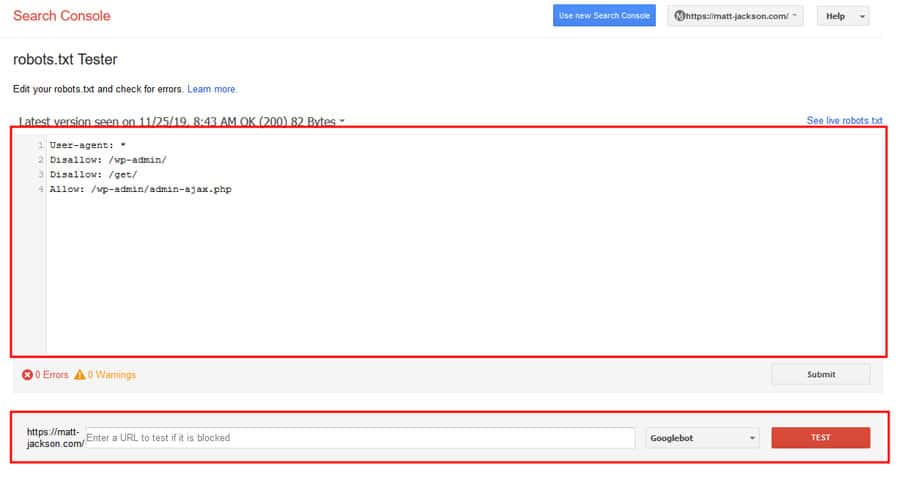
The robots.txt tester tool shows exactly what’s in your robots.txt file.
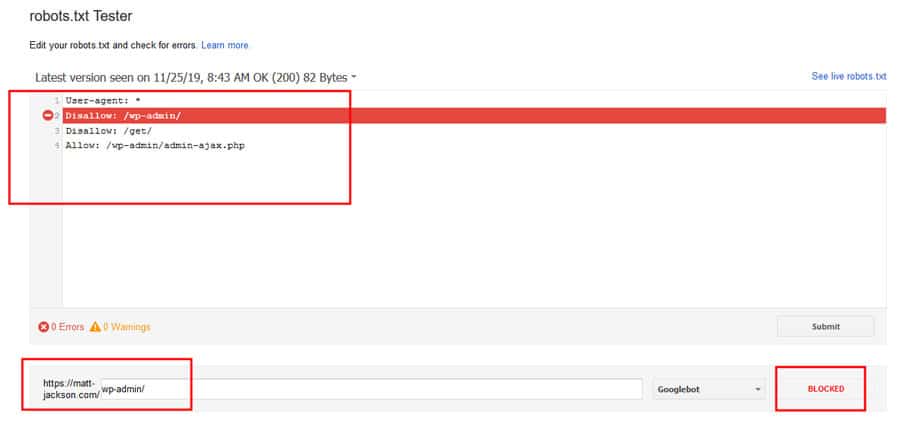
It can be used to test improved robots.txt files, by editing the contents in the window, and testing urls in the bottom bar.
How to submit a new robots.txt file?
To submit a new robots.txt file to Google, your first step is to download and update the file at the correct place (root of your website).
Once you have done this, verify the page is updated by visiting domain.com/robots.txt and checking your new rules are there.
After that, go back to the testing tool, and click this submit button:
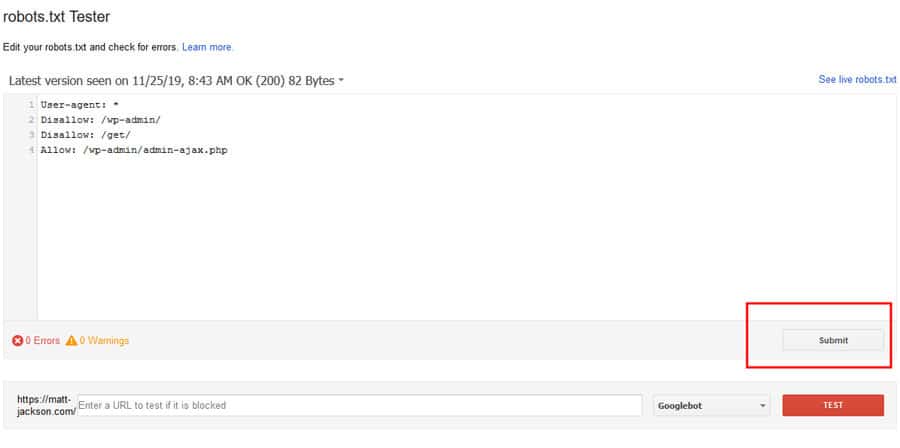
After this, click on the Submit button at the bottom to get Google to recrawl the page:
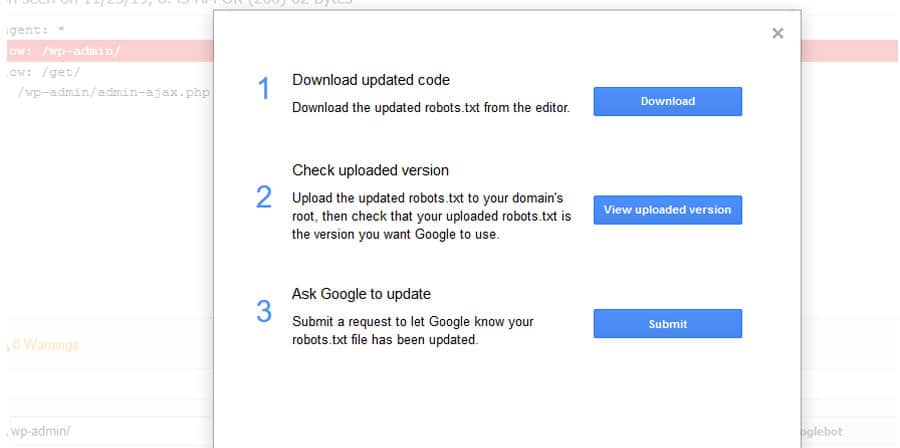
After this you can verify that Google has refreshed the robots.txt by reloading the testing tool, and checking the timestamp at the top of the page (and of course the rules in the box should be updated).
The Use for Ecommerce Sites
The robots.txt file is hands down the best way to control the way Google crawls large ecommerce sites, preventing them from getting stuck in paginated and faceted navigation, sort and limit urls, and all other sorts of crawl black holes.
Keeping Google crawling the pages you want to rank, and not wasting budget on the pages that will never rank.
If you need help implementing the robots.txt file on your website, then contact me via email at info@matt-jackson.com or visit my SEO services page for more information.
